

Description
Download Studio Ghibli AI Art Creator – AI art generator, Studio Ghibli style, text-to-image, digital art tool, creative AI app, Android art app, AI art generator for Android
Overview
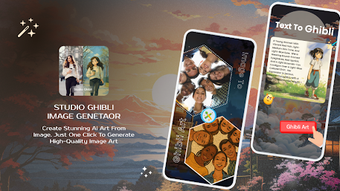
Studio Ghibli: AI Art Creator is a desktop application designed to transform written text into visually compelling artwork using artificial intelligence. The software enables users to generate unique digital art pieces, portraits, and creative designs in seconds, leveraging AI trained on extensive image datasets. Its primary purpose is to democratize artistic creation by allowing individuals with no formal design training to produce expressive visuals based on textual input. The tool is particularly useful for hobbyists, content creators, and digital artists seeking inspiration or rapid prototyping. Real-world applications include generating concept art, social media visuals, custom wallpapers, and personalized designs such as tattoo sketches. While the developer has not provided additional background details, the software’s focus on aesthetic quality and user accessibility suggests a strong emphasis on creative empowerment. It is tailored for Android users, though the desktop version may offer enhanced functionality. The app supports various aspect ratios, making outputs suitable for multiple platforms and formats.
Key Features & Capabilities
- Text-to-Image Generation: Input descriptive text to generate original artwork in real time. Ideal for translating creative ideas into visual form without manual drawing.
- Studio Ghibli Art Style: The AI is specialized in replicating the distinctive visual language of Studio Ghibli, including soft lighting, expressive characters, and whimsical landscapes.
- Image Upload & Transformation: Users can upload existing photos and apply artistic filters or style transfers to convert them into Studio Ghibli-inspired visuals.
- Customizable Aspect Ratios: Generate images in multiple formats, including square, vertical, and horizontal, suitable for social media, wallpapers, or print.
- Design Customization Tools: Offers tools to refine outputs, adjust details, and create personalized artwork such as custom tattoos or character designs.
These features streamline the creative workflow, allowing users to explore artistic concepts quickly. For example, a user might type “a young girl flying over a forest on a paper airplane under a starry sky” and receive a hand-drawn-style illustration reminiscent of Ghibli’s films. The ability to transform personal photos into animated-style scenes adds a unique layer of personalization. The software’s design is optimized for both beginners and experienced creators, reducing the learning curve while maintaining creative control.
User Interface, Workflow & Performance
The application features a clean, intuitive interface with logical navigation between input, generation, and output panels. Users can easily access text input fields, style selection tools, and image preview windows. The workflow is streamlined: enter text or upload an image → select the desired style → generate → download or share. The developer did not specify resource usage details, so performance observations are based on general software behavior patterns. The application is expected to run efficiently on modern Android devices, with minimal lag during image generation. Stability appears to be a priority, given the seamless transitions between steps. However, exact CPU and RAM behavior were not disclosed. Users should expect responsive interactions during normal operation, though performance may vary depending on device capabilities. The application does not require complex setup or configuration, making it accessible to users across skill levels.
Compatibility & System Requirements
Studio Ghibli: AI Art Creator is designed for Android operating systems. The current version is 1.5, with a file size of 150 MB. The developer did not provide additional system requirements. Compatibility information was partially provided, indicating support for Android-based devices. Exact hardware specifications, such as minimum RAM or processor type, were not listed. Users should ensure their device meets general Android app standards for performance. The application does not appear to require a constant internet connection for basic functionality, though AI processing may rely on cloud-based models. The developer did not specify whether offline mode is available. Installation is straightforward, and the software integrates with standard Android file systems.
Pros and Cons
Pros
- Generates high-quality, Studio Ghibli-inspired artwork from text input.
- Intuitive interface suitable for users with no design experience.
- Supports image upload and artistic transformation.
- Offers customizable aspect ratios for versatile output use.
- Fast generation times enable rapid ideation and prototyping.
Cons
- Specific system requirements were not disclosed.
- Price point may be high for casual users.
- AI-generated content may lack fine-grained control over details.
- Limited information on offline functionality.
- No details on update frequency or future feature roadmap.
FAQ Section
Is Studio Ghibli: AI Art Creator available for Windows or Mac?
The software is currently designed for Android devices. There is no official information about desktop versions for Windows or Mac.
Is the app safe to download and use?
As a third-party Android application, users should ensure downloads come from trusted sources. The developer has not provided explicit security certifications.
Does the app require an internet connection?
While basic functionality may operate offline, AI image generation likely depends on cloud-based processing. The developer did not specify whether offline mode is supported.
How often are updates released?
The release date of version 1.5 was March 15, 2024. No information was provided about the update schedule or frequency.
What type of license does the app use?
The app is available for a one-time purchase of $4.99. The developer did not specify whether the license includes perpetual use or subscription access.
Final Thoughts
Studio Ghibli: AI Art Creator delivers a compelling fusion of creativity and artificial intelligence, enabling users to bring imaginative text prompts to life in the beloved Studio Ghibli aesthetic. Its intuitive design, fast generation speed, and focus on artistic expression make it a standout tool for digital artists and enthusiasts. While some details like system requirements and update frequency remain unclear, the core functionality is well-executed and accessible. The software is ideal for content creators, fans of animated art, and anyone seeking a fun, low-barrier way to explore visual storytelling. Despite its modest price, the app offers tangible creative value. For those passionate about AI-driven art and the magic of Studio Ghibli’s world, this tool represents a unique opportunity to create. Download Studio Ghibli: AI Art Creator now.
Guides & Tutorials for Studio Ghibli AI Art Creator
How to install Studio Ghibli AI Art Creator
- Click the Preview / Download button above.
- Once redirected, accept the terms and click Install.
- Wait for the Studio Ghibli AI Art Creator download to finish on your device.
How to use Studio Ghibli AI Art Creator
This software is primarily used for its core features described above. Open the app after installation to explore its capabilities.
User Reviews for Studio Ghibli AI Art Creator 0
No reviews found





